

Intercom Fin
intermediateAI-first customer service: 50% of support conversations resolved instantly.
Intercom Fin is an AI customer service agent that resolves up to 50% of support conversations instantly, without human intervention. Unlike generic chatbots, Fin is trained on your help center, previous conversations, and internal knowledge to provide accurate, brand-consistent responses. It handles complex multi-turn conversations, takes actions (like checking order status or processing refunds), and seamlessly escalates to human agents when needed. With per-outcome pricing ($0.99 per outcome: Intercom's current billing unit, formerly called a resolution), you only pay when Fin actually solves a customer's problem. PxlPeak deploys Fin for businesses looking to scale support without scaling headcount.
50%
Average resolution rate
$0.99
Cost per AI outcome
2min
Average response time
4.5/5
Customer satisfaction score
Key Features
AI-powered resolution of customer inquiries from your knowledge base
Multi-turn conversational support with context retention
Custom actions, check orders, process refunds, update accounts
Seamless human handoff with full conversation context
Multilingual support matching your customer base
Analytics dashboard with resolution rate, CSAT, and topic insights
Use Cases We Implement
Deflect tier-1 support tickets with instant AI resolution
Provide 24/7 customer support without overnight staffing
Scale support during peak seasons without temporary hiring
Reduce average handle time by pre-qualifying and triaging inquiries
How We Implement Intercom Fin
Assess
We analyze your business needs and how Intercom Fin fits into your workflow.
Configure
Set up Intercom Fin with custom settings, integrations, and data connections.
Integrate
Connect to your existing tools: CRM, helpdesk, email, and more.
Train & Launch
Train your team, document everything, and provide ongoing support.
When NOT to Use Intercom Fin
Teams not already on Intercom, migrating platforms just for Fin adds unnecessary complexity
B2B companies with highly technical support requiring deep product expertise
Low support volume (< 100 tickets/month), per-resolution costs may not justify setup
Organizations needing phone/voice support: Fin is chat and messaging only
Integration Patterns We Deploy
AI-first support tier
Intercom Fin + knowledge base + custom actions + human handoff
Fin handles all incoming conversations first, resolving FAQs, checking orders, processing returns. Only unresolved issues reach human agents, with full context preserved.
Proactive customer engagement
Intercom Fin + product tours + outbound messaging
Combine Fin's reactive support with Intercom's proactive tools, trigger product tours on confusion signals and outbound messages on churn risk indicators.
Multi-channel AI support
Intercom Fin + website widget + WhatsApp + email
Deploy Fin across all customer touchpoints, website chat, WhatsApp, email, with consistent AI-powered resolution regardless of channel.
Ecommerce support automation
Intercom Fin + Shopify + order management + returns API
Fin checks order status, processes returns, and handles shipping inquiries by connecting to your ecommerce backend through custom actions, no human needed for routine orders.
Risks & How We Mitigate Them
Low resolution rate due to incomplete knowledge base
Audit and expand knowledge base before deploying Fin. Cover the top 50 inquiry types comprehensively. Monitor 'Fin couldn't answer' topics and fill gaps weekly.
Customers frustrated by AI when they want a human
Make human handoff immediately accessible, never trap customers in an AI loop. Configure clear escalation triggers based on sentiment and repeat questions.
Custom actions failing and creating bad customer experience
Build robust error handling into every custom action. When an action fails, Fin should transparently escalate rather than give a vague error message.
Per-resolution costs exceeding human support costs
Track cost-per-resolution vs cost-per-human-ticket monthly. If Fin resolves only easy questions, the math may not work. Expand Fin's capabilities to handle more complex issues.
Implementation Checklist
Audit knowledge base completeness, cover top 50 customer inquiry types
Configure Fin with brand voice, tone, and response guidelines
Build custom actions for order lookup, account updates, and common operations
Set up escalation rules based on topic complexity, sentiment, and customer tier
Deploy Fin on a single channel first (website chat) for controlled testing
Monitor resolution rate, CSAT, and per-resolution costs daily during launch
Expand to additional channels (WhatsApp, email) after proving resolution quality
Establish weekly knowledge base review based on Fin's unresolved topics
Train support team on monitoring Fin conversations and providing feedback
Review economics monthly, compare AI resolution cost to human agent cost
Implementation Guide: Intercom Fin
2-3 weeksIntercom Fin is the AI customer service agent that resolves 50%+ of support conversations instantly. It's trained on your help center and previous conversations, so it gives accurate, brand-consistent answers from day one. The per-outcome pricing ($0.99 per outcome) means you only pay when Fin actually helps, no wasted spend on failed interactions.
Before You Start
Intercom account (Growth or Scale plan)
Knowledge base with comprehensive help articles (Fin's accuracy depends on this)
Support conversation history (Fin learns from past successful resolutions)
Escalation rules and human agent availability defined
Step-by-Step
Audit knowledge base
3-5 daysFin is only as good as your help content. Review and update all help articles. Fill gaps in common question categories. This is the highest-leverage step.
Check your top 20 support questions. If any lack a clear help article, write one. Fin can't resolve what it can't find in your knowledge base.
Configure Fin
1-2 daysEnable Fin in Intercom settings. Set conversation scope, tone, and escalation rules. Define which topics Fin should handle vs. route to humans.
Set up custom actions
2-3 daysConfigure Fin to take actions: check order status, process refunds, update account details. These custom actions turn Fin from a Q&A bot into a service agent.
Test and iterate
1 weekRun Fin in shadow mode (alongside human agents) for 1 week. Review resolutions, identify gaps, and update knowledge base accordingly.
Go live with monitoring
1-2 daysEnable Fin for customer-facing conversations. Monitor resolution rate, CSAT, and escalation patterns. Optimize weekly.
Common Mistakes to Avoid
Launching with an incomplete knowledge base
Fin's resolution rate is directly proportional to knowledge base quality. Invest time upfront in comprehensive, well-structured help articles.
Not setting up human escalation
Some queries need a human. Configure clear escalation paths for: complex issues, frustrated customers, and topics outside Fin's scope.
Expecting 50% resolution rate immediately
Resolution rate improves over time as you identify gaps and add content. Start with 30% as a realistic target and optimize toward 50%+.
Pro Tips
Review Fin's 'unanswered' questions weekly. Each unanswered question is a knowledge base gap, fix it and resolution rate climbs.
Custom Actions are Fin's superpower. Order lookups, refund processing, and account changes make Fin a real agent, not just a chatbot.
Use Fin's insights to identify your most common support questions. This data is gold for product improvements and documentation updates.
Architecture
┌──────────────┐     ┌──────────────┐     ┌──────────────┐
│  Customer    │────▶│  Intercom    │────▶│  Fin AI      │
│  (Chat/Email)│     │  Messenger   │     │  Agent       │
│              │◀────│              │◀────│              │
└──────────────┘     └──────────────┘     └──────┬───────┘
                                                 │
                          ┌──────────────────────┼──────────┐
                          ▼                      ▼          ▼
                   ┌──────────────┐     ┌──────────┐ ┌──────────┐
                   │  Knowledge   │     │  Custom  │ │  Human   │
                   │  Base        │     │  Actions │ │  Handoff │
                   │  (Articles)  │     │  (APIs)  │ │  (Agent) │
                   └──────────────┘     └──────────┘ └──────────┘
Quick-Start Config
// Intercom Fin: Configuration
{
  "fin": {
    "enabled": true,
    "tone": "professional and friendly",
    "scope": {
      "channels": ["messenger", "email"],
      "topics": ["billing", "product", "technical", "general"],
      "excludeTopics": ["legal", "compliance", "enterprise-sales"]
    },
    "customActions": [
      {
        "name": "Check Order Status",
        "trigger": "order status, where is my order, tracking",
        "api": "https://api.your-app.com/orders/{{order_id}}/status"
      },
      {
        "name": "Process Refund",
        "trigger": "refund, money back, return",
        "api": "https://api.your-app.com/refunds",
        "requiresApproval": true
      }
    ],
    "escalation": {
      "trigger": "2 failed resolution attempts OR negative sentiment OR explicit request",
      "assignTo": "support-team-queue"
    }
  }
}
Integration Recipes
AI-First Support Desk
Fin handles 50%+ of conversations automatically. Custom actions let Fin check orders, process refunds, and update accounts. Unresolved queries escalate to human agents with full context. Daily Slack summary of Fin performance and knowledge gaps.
Proactive Customer Success
Intercom detects at-risk customers via product analytics (low usage, failed actions). Fin proactively reaches out with helpful guidance. Successful re-engagement logged to CRM. Persistent churn signals escalate to customer success manager.
Want us to handle the implementation?
Our team handles Intercom Fin setup, integration, training, and ongoing support.
Get Intercom Fin ImplementedIntercom Fin Use Cases
Frequently Asked Questions
How does per-outcome pricing work?
You pay $0.99 per outcome: Intercom's billing unit for when Fin successfully resolves a customer's issue without human intervention (previously called a resolution). If Fin escalates to a human agent, you do not pay. There is no per-seat cost for Fin itself, and it works on third-party helpdesks. This aligns cost directly with value delivered.
What does 50% resolution rate mean?
On average, Fin resolves half of incoming support conversations without human involvement. The actual rate depends on your product complexity, knowledge base quality, and customer inquiry types. PxlPeak optimizes knowledge base content and Fin configuration to maximize resolution rates.
Can Fin take actions, not just answer questions?
Yes. Fin can be configured with custom actions, checking order status, processing returns, updating account details, and more. PxlPeak builds these integrations with your backend systems as part of deployment.
How long does implementation take?
PxlPeak deploys Intercom Fin in 2-3 weeks, including knowledge base audit and optimization, custom action development, escalation rule configuration, testing, and team training on monitoring and improvement.
What happens when Fin cannot resolve an issue?
Fin seamlessly hands off to a human agent with full conversation context, customer history, and a suggested resolution. The agent picks up exactly where Fin left off, with no repetition required from the customer.
Intercom Fin in Action

How PxlPeak Scaled Operations with AI Automation
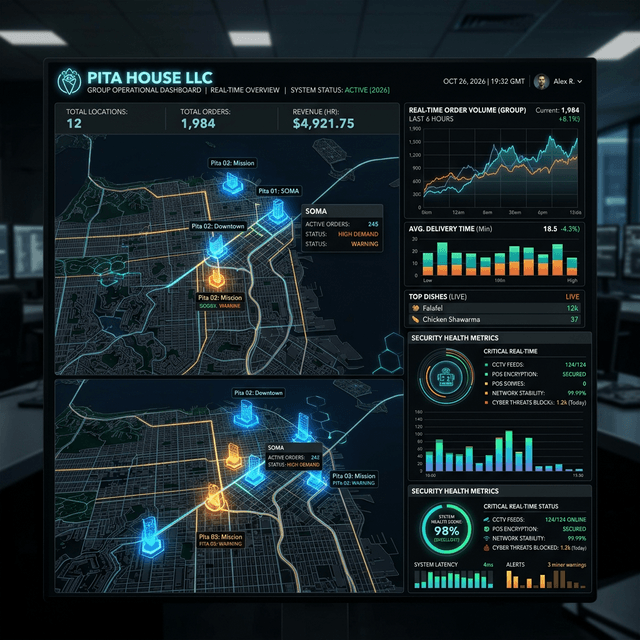
Pita House LLC: Building a Scalable Digital Infrastructure for Multi-Location Success

Composite Model: How an Ecommerce Ops Team Reclaims 87 Hours/Month With n8n
AI Automation & ROI
Replace manual workflows with agentic AI ecosystems that pay for themselves.


Ready?
Put AI to Work for You.
Call now and talk to Aria, our AI strategist, or book a free 30-minute assessment.
Aria picks up instantly · 24/7 · Free assessment · 30-day guarantee