

Zendesk AI
intermediateAI-powered customer service built on decades of support ticket data.
Zendesk AI brings machine learning trained on billions of real support interactions directly into the Zendesk Suite. Unlike bolt-on AI, it understands ticket intent, sentiment, and urgency out of the box, no training period needed. AI agents handle routine requests end-to-end, while the Agent Copilot suggests replies, surfaces relevant articles, and auto-fills ticket fields for human agents. For businesses already on Zendesk, adding AI is a configuration change, not a migration. PxlPeak helps companies activate Zendesk AI features, build custom automations, and measure deflection rates against real support costs.
100K+
Businesses using Zendesk
1,000+
Pre-trained intent topics
30%
Avg ticket deflection with AI
< 2 min
Median first response with AI
Key Features
Pre-trained intent detection across 1,000+ support topics
AI agents that resolve common requests without human involvement
Agent Copilot with suggested replies and knowledge surfacing
Intelligent triage: auto-assign priority, language, and sentiment
Custom AI automations triggered by ticket events and conditions
Generative AI for reply drafting, tone adjustment, and summarization
Use Cases We Implement
Deflect password resets, order status, and shipping inquiries automatically
Route complex tickets to the right specialist based on AI intent detection
Generate first-reply drafts for agents handling technical support
Summarize long ticket threads for escalation handoffs
How We Implement Zendesk AI
Assess
We analyze your business needs and how Zendesk AI fits into your workflow.
Configure
Set up Zendesk AI with custom settings, integrations, and data connections.
Integrate
Connect to your existing tools: CRM, helpdesk, email, and more.
Train & Launch
Train your team, document everything, and provide ongoing support.
When NOT to Use Zendesk AI
Companies not already on Zendesk, switching platforms for AI alone is rarely justified
Small teams under 5 agents, the Advanced AI add-on cost may outweigh the benefit
Organizations needing deeply customized AI conversations: Intercom Fin offers more flexibility
Teams that primarily need proactive outreach, not reactive support
Integration Patterns We Deploy
AI-powered ticket triage
Zendesk AI + intelligent triage + routing rules + SLA policies
Every incoming ticket is automatically classified by intent, urgency, and sentiment. AI routes to the right agent group instantly, eliminating manual triage entirely.
Agent Copilot workflow
Zendesk Agent Copilot + knowledge base + macros
Human agents get AI-suggested replies, relevant knowledge articles, and auto-filled ticket fields. Copilot handles the research, agents focus on the customer relationship.
Full AI agent deployment
Zendesk AI agents + knowledge base + custom flows
Deploy AI agents that handle common requests end-to-end, password resets, order status, return processing, before any human involvement.
Escalation intelligence
Zendesk AI + sentiment analysis + VIP detection + routing
AI detects frustration, VIP customers, and complex issues in real-time. Auto-escalates to senior agents with full context summaries, preventing churn from poor initial handling.
Risks & How We Mitigate Them
Pre-trained intents not matching your industry terminology
Supplement pre-trained models with custom intents and training data. Zendesk's models cover general support well but need tuning for specialized industries (legal, medical, technical).
AI agents giving incorrect answers from outdated knowledge base
Implement a knowledge base review schedule (weekly for high-traffic articles). Flag AI-resolved tickets for periodic quality audits. Keep articles current or AI amplifies stale information.
Advanced AI add-on costs scaling with team size
Deploy Advanced AI on frontline agents first, they handle the most tickets. Specialist agents who deal with complex issues may not need the AI add-on.
Agent resistance to AI suggestions changing their workflow
Position Agent Copilot as a helper, not a monitor. Show agents how it saves time on research and admin tasks. Track time-to-resolution improvements to demonstrate value.
Implementation Checklist
Verify Zendesk Suite plan supports AI features (Suite Team+ for basic, Advanced AI add-on for full)
Audit knowledge base quality: AI agents are only as good as the articles they reference
Enable intelligent triage for automatic intent, priority, and sentiment classification
Configure AI agent flows for top 10 most common ticket types
Set up Agent Copilot with knowledge base and macro suggestions
Create custom intents for industry-specific terminology and workflows
Deploy AI features to pilot group of agents and measure impact
Monitor deflection rates, CSAT, and first-response times weekly
Train agents on working alongside Agent Copilot effectively
Review AI accuracy monthly and refine intents and knowledge articles based on data
Implementation Guide: Zendesk AI
2-3 weeksZendesk AI embeds intelligence across the entire Zendesk support platform, ticket classification, agent assistance, automated resolution, and smart routing. For companies already on Zendesk, the AI features plug directly into existing workflows without migration. The real power is the combination of auto-resolution (AI handles routine tickets) and agent copilot (AI assists humans on complex ones).
Before You Start
Zendesk Suite Professional or Enterprise (AI features vary by tier)
Copilot AI add-on (formerly Advanced AI: $50/agent/mo annual for full AI capabilities)
Knowledge base with comprehensive help articles
Ticket history for AI training (6+ months recommended)
Step-by-Step
Enable AI features
1-2 daysActivate intelligent triage (auto-classify, route, and prioritize tickets), agent copilot, and auto-resolution in Zendesk Admin Center.
Configure intelligent triage
2-3 daysSet up auto-classification for ticket intent, language, and sentiment. Configure routing rules based on AI classifications.
Zendesk's AI triage improves with volume. Let it classify for 1-2 weeks while agents review and correct. Accuracy improves rapidly with feedback.
Build knowledge base for AI
3-5 daysReview and update help articles. AI resolution quality depends entirely on knowledge base coverage. Fill gaps for top 50 question categories.
Configure auto-resolution
2-3 daysSet up AI bots that resolve common tickets automatically: password resets, order tracking, FAQ answers. Start with low-risk categories.
Enable agent copilot
1-2 daysTurn on AI-suggested responses, ticket summaries, and similar ticket references for human agents. This accelerates handling of complex tickets.
Monitor and optimize
OngoingTrack resolution rate, CSAT, first reply time, and agent handle time. Review AI classifications weekly and optimize routing rules.
Common Mistakes to Avoid
Enabling auto-resolution on complex ticket types
Start AI auto-resolution on simple, repetitive queries (password reset, order status). Complex issues need human agents with AI copilot assistance.
Poor knowledge base coverage
AI can't resolve what it can't find answers for. The knowledge base is the foundation, invest time here before enabling auto-resolution.
Not using agent copilot alongside auto-resolution
Auto-resolution handles routine tickets; agent copilot helps humans handle everything else. Enable both for maximum impact.
Pro Tips
Zendesk's intelligent triage auto-tags tickets with intent and sentiment. Use these tags to build smarter macros and routing rules.
Agent copilot suggests responses from your knowledge base and similar resolved tickets. This can significantly cut average handle time for new agents.
Review the AI insights dashboard weekly. It shows which topics generate the most tickets and where auto-resolution fails, both point to knowledge base improvements.
Architecture
┌──────────────┐     ┌──────────────┐     ┌──────────────┐
│  Customer    │────▶│  Zendesk     │────▶│  AI Triage   │
│  (Ticket)    │     │  Suite       │     │  (Classify + │
│              │     │              │     │   Route)     │
└──────────────┘     └──────────────┘     └──────┬───────┘
                                                 │
                          ┌──────────────────────┼──────────┐
                          ▼                      ▼          ▼
                   ┌──────────────┐     ┌──────────┐ ┌──────────┐
                   │  Auto-       │     │  Agent   │ │  Human   │
                   │  Resolution  │     │  Copilot │ │  Agent   │
                   │  (AI Bot)    │     │  (Assist)│ │  (Queue) │
                   └──────────────┘     └──────────┘ └──────────┘
                          │
                   ┌──────┴───────┐
                   │  Knowledge   │
                   │  Base        │
                   └──────────────┘
Quick-Start Config
// Zendesk AI: Intelligent Triage Configuration
{
  "intelligentTriage": {
    "enabled": true,
    "features": {
      "intentDetection": true,
      "languageDetection": true,
      "sentimentAnalysis": true
    },
    "routingRules": [
      {
        "intent": "billing",
        "sentiment": "any",
        "assignTo": "billing-team",
        "priority": "normal"
      },
      {
        "intent": "any",
        "sentiment": "negative",
        "assignTo": "senior-agents",
        "priority": "high"
      },
      {
        "intent": "password_reset",
        "autoResolve": true,
        "articleId": "kb-password-reset"
      }
    ]
  },
  "agentCopilot": {
    "enabled": true,
    "features": {
      "suggestedResponses": true,
      "ticketSummary": true,
      "similarTickets": true,
      "toneAdjustment": true
    }
  }
}
Integration Recipes
AI-Powered Support Operations
Intelligent triage auto-classifies and routes every ticket. Simple queries auto-resolved by AI bot. Complex tickets get agent copilot assistance with suggested responses and similar ticket references. Weekly AI insights dashboard identifies optimization opportunities.
Escalation Intelligence
AI detects negative sentiment and VIP customers automatically. High-priority tickets trigger Slack alerts to managers. CRM data enriches ticket context for agents. Automated follow-up workflows ensure resolution confirmation.
Want us to handle the implementation?
Our team handles Zendesk AI setup, integration, training, and ongoing support.
Get Zendesk AI ImplementedZendesk AI Use Cases
Frequently Asked Questions
Do I need Zendesk Suite to use Zendesk AI?
Yes. Zendesk AI features are available on Suite Team and above. The AI add-on, now branded Copilot ($50/agent/mo, annual billing), unlocks AI agents, Agent Copilot, and intelligent triage; fully automated AI agent resolutions are billed per resolution on top. Support-only plans have limited AI features.
How does Zendesk AI compare to a custom chatbot?
Zendesk AI is faster to deploy because it's pre-trained on support data. A custom chatbot offers more flexibility but needs weeks of training. For most support teams, Zendesk AI covers 60-80% of use cases out of the box.
Can Zendesk AI handle our industry-specific terminology?
The pre-trained models handle general support well. For specialized terminology (legal, medical, technical), PxlPeak configures custom intents and knowledge base articles that the AI references for accurate responses.
How long does it take to set up Zendesk AI?
Basic AI features (intent detection, auto-triage) activate in days. Full AI agent setup with custom flows, knowledge base integration, and testing typically takes 2-3 weeks with PxlPeak.
Zendesk AI in Action

How PxlPeak Scaled Operations with AI Automation
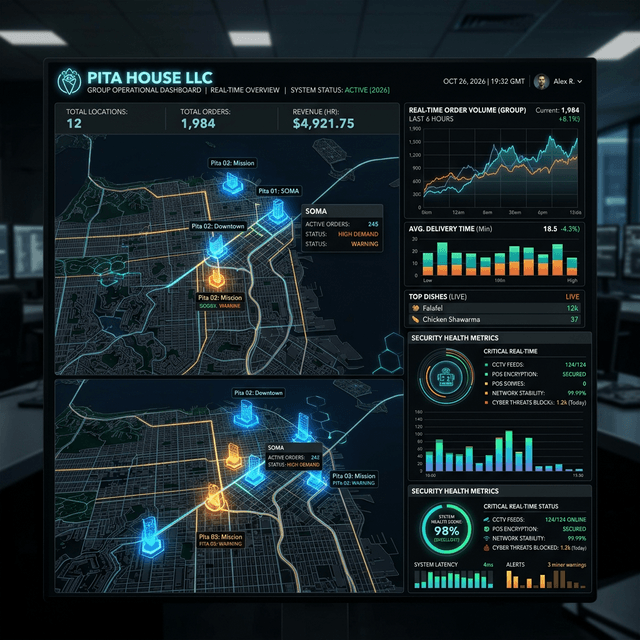
Pita House LLC: Building a Scalable Digital Infrastructure for Multi-Location Success

Composite Model: How an Ecommerce Ops Team Reclaims 87 Hours/Month With n8n
AI Automation & ROI
Replace manual workflows with agentic AI ecosystems that pay for themselves.


Ready?
Put AI to Work for You.
Call now and talk to Aria, our AI strategist, or book a free 30-minute assessment.
Aria picks up instantly · 24/7 · Free assessment · 30-day guarantee